
1. Download
Install the OrgAtlas desktop app on macOS or Windows.
OrgAtlas helps Salesforce admins understand the impact first in read-only mode. Your workspace stays local, and you choose what to approve.
Mac + Windows · $19.99/month · 14 days free trial · No credit card required
We package and maintain the supported toolchain. Install OrgAtlas, sign in, connect your Salesforce work, choose your AI connection, and start.
Onboarding is as easy as 1,2,3!
Install the OrgAtlas desktop app on macOS or Windows.
Choose the exact sandbox, production org, developer org, or scratch org for the local project.
Describe the Salesforce outcome in plain language. OrgAtlas handles the toolchain.
Salesforce CLI, Salesforce MCP, Node, Python bootstrap, specialist instructions, subagents, and supported plugins sit behind a desktop interface built for Salesforce professionals—not toolchain hobbyists.
Every OrgAtlas project lives in a folder on your Mac or PC and is explicitly bound to the Salesforce org you choose.
One focused body of work
Source, files, sessions, and outputs on your machine
Sandbox, Developer Edition, scratch org, or production org
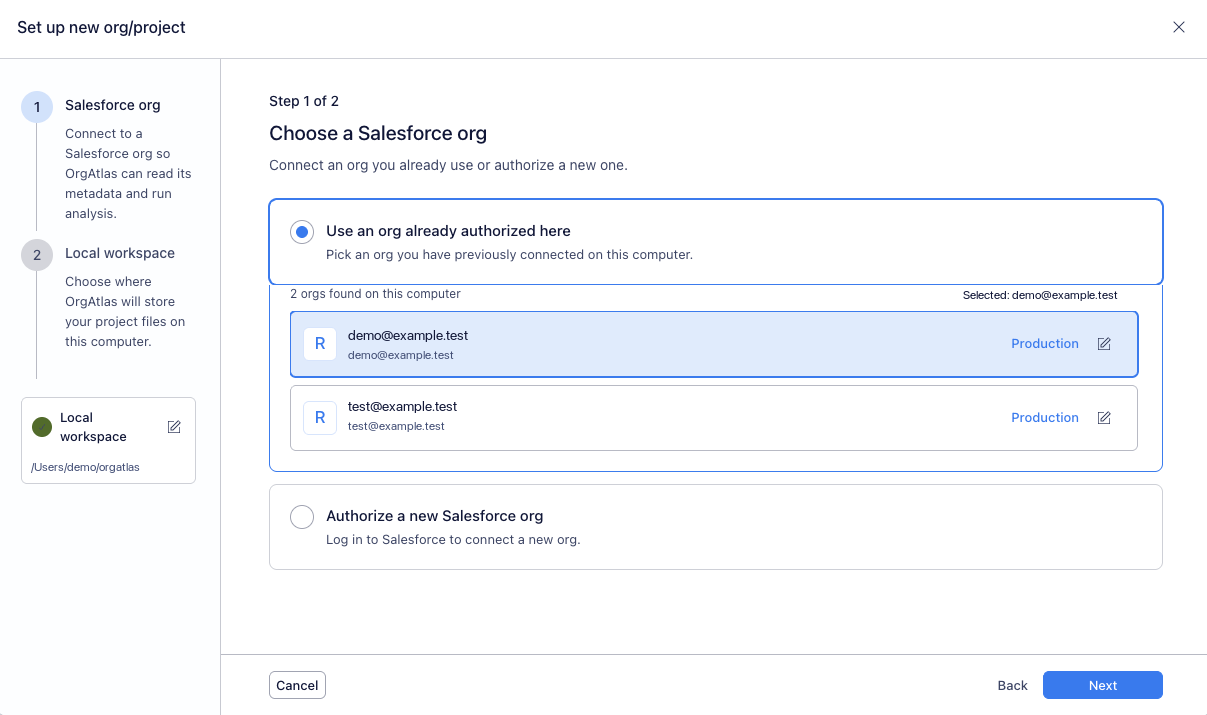
The project, retrieved source, generated files, documentation, and local tools stay together on your machine. Unlike a hosted Salesforce agent, OrgAtlas does not create a vendor-cloud copy of that workspace.
Want the model local too? OrgAtlas can connect to a local AI model served through Ollama or LM Studio. It is optional: local-model capability, speed, and tool reliability depend on the model and your hardware, so we still recommend a capable hosted model for demanding Salesforce work.
OrgAtlas investigates, plans, builds, validates, documents, and deploys supported work, not just answers. For complex tasks, a primary agent can delegate to subagents while separate local projects and sessions keep every Salesforce org clear.
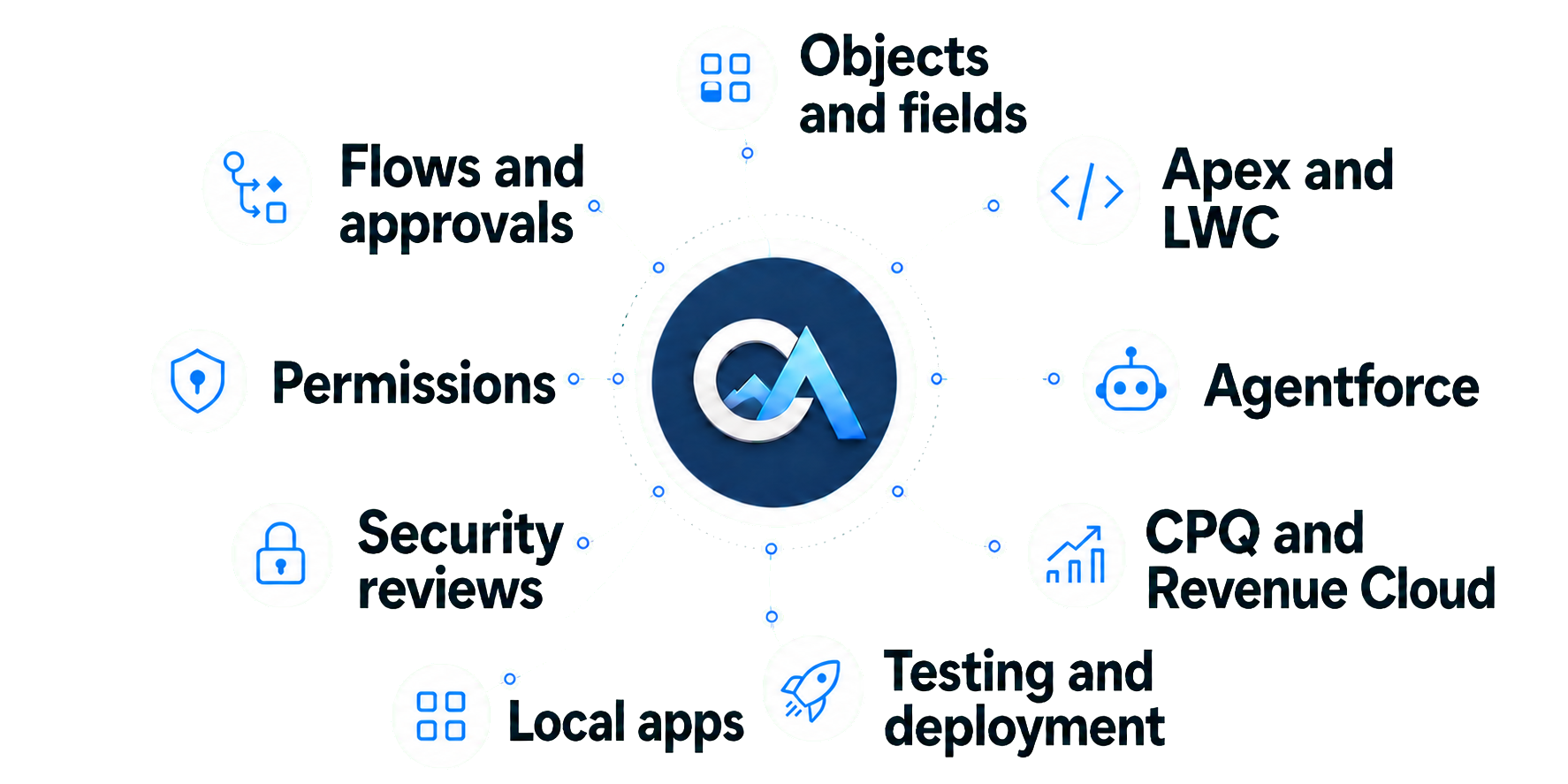
Investigate metadata, code, permissions, automation, dependencies, records, and the local Salesforce project before deciding what to do.
Create Salesforce configuration, Apex, Lightning Web Components, local applications, analysis, documents, presentations, and deployment-ready work.
Run tests, validation, quality and security reviews, explain what changed, and deploy supported work only after approval.
The exact org, plan, progress, files, checks, and approval point remain visible throughout the task.
Ask
Describe what the business needs in normal language.
Understand
The agent checks the selected org, local project, metadata, dependencies, permissions, and current guidance.
Build
OrgAtlas writes the required Salesforce source, configuration, scripts, tests, local application, analysis, or deliverable.
Validate
OrgAtlas can run tests, Salesforce validation, code and security analysis, dependency checks, and deployment previews.
Control
Approve the next step, request a revision, or keep the project in read-only mode.
Use an AI subscription you already pay for, bring a supported API key, try the free models, or choose the affordable provider we recommend. OrgAtlas supplies the Salesforce working environment around it.
Use your existing ChatGPT Plus, ChatGPT Pro, or GitHub Copilot subscription. What you can use follows the plan and model access that provider gives you. Claude Code subscription support is planned, not current.
Choose a supported provider and keep the account, key, and model billing relationship directly with that provider.
Use OpenCode's free models for up to 200 requests a day. They can be very slow, so they are useful for trying OrgAtlas—not for serious production work. We recommend using your own subscription or API key when you are ready to work.
Fast, commercially hosted open-source models. It costs $5 for the first month, then $10/month, with up to $60 of model usage. Use DeepSeek V4 Flash for everyday work and Qwen3.7 Plus for harder work. Your OpenCode account and billing remain separate from OrgAtlas.
Admins, operations teams, independent consultants, small implementation firms, developers, and architects can use the local agent without surrendering control of the workspace.
Build serious Salesforce work without writing a line of code.
Describe the business result. OrgAtlas can build fields, objects, Flows, permissions, reports, local tools, automation, documentation, and deployment-ready work. You do not need to become a terminal, CLI, or MCP engineer first.
Take on more client work without rebuilding the stack for every org.
Use a separate local project for each customer org. Move from assessment to implementation, debugging, security review, testing, documentation, presentation, and handoff while the client's Salesforce workspace, data, files, and tools remain on your machine—not in an OrgAtlas cloud workspace.
Keep the control. Lose the setup work.
Work directly with Apex, Lightning Web Components, metadata, Git diffs, tests, packages, CLI output, dependency analysis, and deployments. Switch the response style to technical when you want full implementation detail.
The hosted products pair expensive paid paths with a cloud service boundary around your work. Some show no price before a sales conversation. DIY can stay local, but leaves you to build and maintain the whole Salesforce stack.
Higher-priced than OrgAtlas: $99/month for one user and one org.
$10M in seed funding. No public numeric price and no pricing transparency before a sales conversation. Tribal spans several business systems; OrgAtlas specializes in Salesforce.
Salesforce announced the acquisition on July 24, 2026. Its standalone product roadmap has not been publicly explained.
Hosted Salesforce agents. The reviewed public page does not show a numeric price.
Expensive for paid use: Flex Credits or $125 per user each month. It also requires Salesforce-org admin enablement, licensing, and permissions.
Powerful, but general-purpose. You install Salesforce CLI, MCP, skills, Node, optional Python, connect everything, and maintain the stack yourself. OrgAtlas is the Salesforce specialist: the complexity is already packaged, so you can just work.
One complete product. No feature tiers. No OrgAtlas action credits. You should not have to go broke to use serious AI in Salesforce.
No tiers. No credit maze. No sales call.
or $199 per year. Save $40.88 compared with monthly billing.
Start Free TrialThe 14-day trial starts during desktop onboarding with no credit card required. Your selected subscription begins after the trial if you add a payment method and do not cancel first. Billing is handled by Stripe.Local, private, and affordable. No feature tiers or OrgAtlas action credits.
OrgAtlas is personal. The founder built it after 15 years as a Salesforce developer and architect, including time at Salesforce, across consulting, enterprise, and startup environments and later worked hands-on as an AI engineer. The goal is for Salesforce professionals to get serious agentic capability without handing a new cloud vendor their workspace or becoming developer-tooling specialists.
OrgAtlas is founder-led. The product is designed, built, and maintained directly by its founder, and customers receive the founder's email and direct human support—not a bot protecting a queue.
Why OrgAtlas existsThe 14-day trial begins during desktop setup after you install OrgAtlas on your Mac or PC.